
Selling on Amazon isn’t just about having great products. Amazon listing creation plays a vital role in making your products visible, clickable, and ultimately, profitable. Whether you’re using FBA (Fulfilled by Amazon) or FBM (Fulfilled by Merchant), creating an optimized listing can determine your success.
This step-by-step guide walks you through every stage of the Amazon listing creation process. You will be able to build high-converting product listings that rank higher and sell faster in Amazon’s ever-evolving marketplace after reading this article.
Table of Contents
What Is Amazon Listing Creation and Why It Matters?

A Product Detail Page (or PDP), another name for an Amazon listing, is essentially a landing page for each of the millions of products that are sold on the website. The title of a product, customer reviews, description, images, and price are all highlighted, along with all the other important details.
The key roles of product listings on Amazon are:
Sales and conversions: The purpose of listings is to turn a buyer’s interest into a purchase. Customers are persuaded to click “buy” by an attention-grabbing title, excellent images, and an understandable description.
Visibility and search ranking: Listing content is used by Amazon’s search algorithm to decide which products to display for a specific search query. A product’s visibility and search ranking can be increased by optimizing using pertinent keywords.
Customer information: Listings give buyers all the information they need to make an informed decision, including features, prices, reviews, and benefits.
Seller competition: The listing serves as a level playing field for competition based on price, shipping, and reviews because numerous sellers may offer the same product.
Brand representation: Since the listing is a digital representation of a brand, it must be accurate, useful, and professional.
By improving product discoverability through search engines, boosting click-through rates with attention-grabbing titles and images, and turning more browsers into purchasers with thorough, convincing content, optimized listings increase sales and visibility.
Using pertinent keywords, creating compelling titles and descriptions, using top-notch images, and gaining the trust of customers are all part of this process.
FBA Vs FBM — Understanding the Key Differences
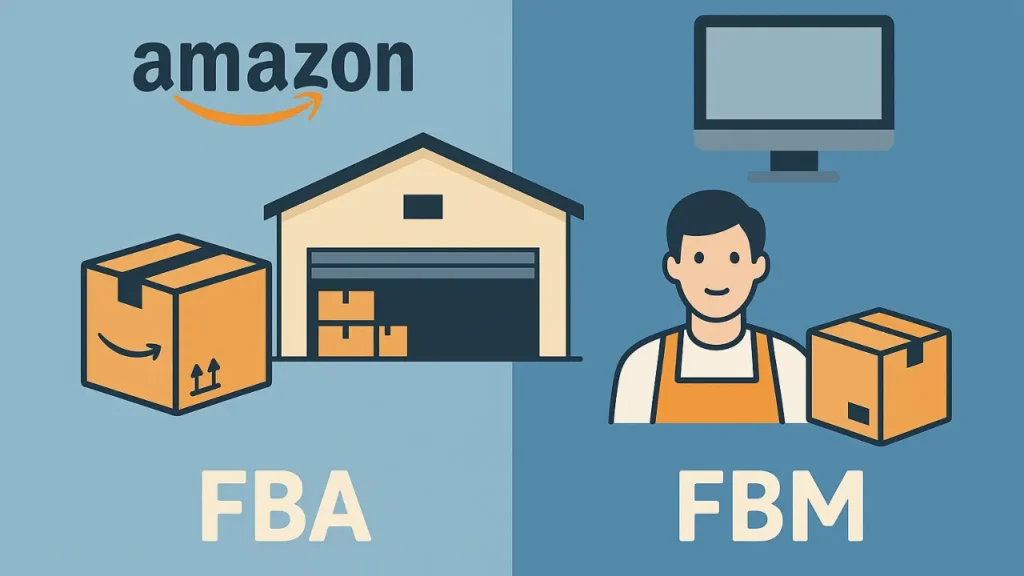
Amazon handles customer support, packing, shipping, and storage under FBA (Fulfillment by Amazon), but the merchant must handle these duties under FBM (Fulfillment by Merchant).
The key differences between FBA and FBM are:
| Feature | FBA | FBM |
| Who manages it? | Amazon takes care of customer support, shipping, packing, and storage. | All facets of fulfillment, storage, and customer support are managed by the seller. |
| Control | Less control over the branding and fulfillment procedures. | Complete control over client relations, packaging, and inventories. |
| Prime eligibility | Because listings are immediately Prime-eligible, additional buyers may be drawn in. | Listings that are not a part of Seller Fulfilled Prime (SFP) are not Prime eligible. |
| Fees | Includes fulfillment and storage FBA fees. | Avoids FBA fees but pays for all shipping, packing, and storage expenses. |
| Overhead | Seller-owned fulfillment infrastructure is not required. | Requires the seller to oversee their own fulfillment and storage capacity. |
| Customer service | Managed by Amazon, however it may restrict direct contact with customers. | Fully managed by the seller, enabling more individualized service. |
| Best for | Sellers seeking rapid expansion, scalability, and ease of use. | Sellers who have poor margins, deal with specialized or slow-moving products, or require additional control. |
Step-by-Step Amazon Listing Creation Process
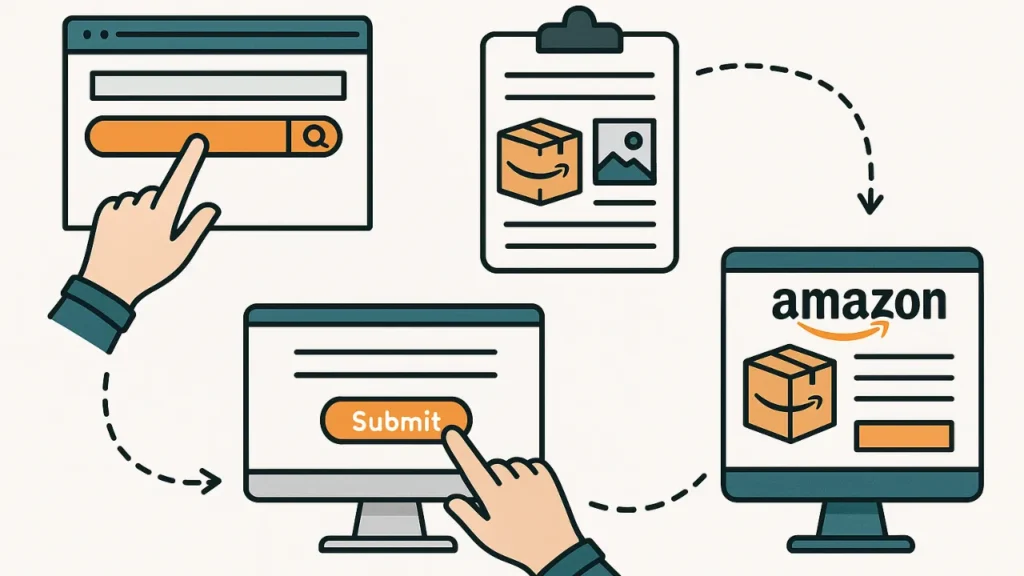
After logging into your Seller Central account, select Catalog > Add Products and either search for an existing product or create a new one to start an Amazon listing.
Below is a step-by-step process to create an Amazon listing:
Conduct Keyword Research
Start with seed keywords (what a buyer would type). Identify:
- High-volume primary keywords (main product phrase)
- Long-tail buyers-intent keywords (e.g., “best [product] for [use case]”)
- Competitor keywords (extract from top-selling ASINs)
Save keywords in three groups: Primary (title), Secondary (bullets/description), Backend (search terms).
Tip: Prioritize relevancy first — a high-volume but irrelevant keyword will hurt conversion.
Tools for keyword research: Use tools (Helium 10, Jungle Scout, MerchantWords, Sellics, AMZScout) to expand seed keywords and to see search volume and relevancy.
Choose the Right Product Category
Pick the most relevant Amazon category and subcategory. Check category requirements (e.g., gated categories require approval). If gated, prepare invoices, brand docs, etc.
Tip: look at top competitors’ categories.
Write an Optimized Product Title
Title formula (template): Primary Keyword + Key Feature(s) + Brand + Model/Size/Qty + Benefit
Example: BrandName [Primary keyword] — 12 oz, Stainless Steel, Leakproof Travel Mug — Keeps Drinks Hot 12 Hours
Best practices:
- Put the strongest primary keyword near the beginning.
- Use readable punctuation. Avoid keyword stuffing.
- Follow Amazon character limits per category.
- Include specifics that buyers scan for: size, color, material, count, compatibility.
Tip: Test variants through A/B imagery and title tweaks (if you have tools or experiments).
Create Engaging Bullet Points and Descriptions
Bullets (5 recommended): short, scannable, benefits-first
Bullet structure: Feature → Benefit → Proof/Detail
Example: Insulated Double-Wall — Keeps drinks hot for up to 12 hours, perfect for long commutes.
Product description / A+ content:
- Use storytelling and structured sections: what it is, who it’s for, how to use it, what’s included.
- A+ / Enhanced Brand Content (EBC): add lifestyle images, comparison charts, and brand story (brand must be enrolled in Brand Registry).
SEO tip: Use secondary keywords naturally throughout bullets and description.
CRO tip: include social proof snippets and clear call-to-action.
Add High-Quality Images and A+ Content
Image checklist:
- Main image: white background, product occupies ~85% of frame, high resolution (>=1000px for zoom).
- Additional images: alternate angles, in-use lifestyle shots, size/scale references, close-ups of materials/features, infographic images that call out specs/benefits.
- Use image text sparingly — follow Amazon image policies.
A+ content (if available):
- Use 3–5 modules: hero banner, text + image modules, comparison chart, FAQ.
- Add lifestyle shots to show the product solving problems.
Tip: Use a simple 5-image plan: main, scale (with hand), angle, detail close-up, lifestyle.
Configure Pricing, Inventory, and Fulfillment Settings
Pricing: Research competitors and, if launching, set an introductory pricing (take into account discounts or offers). Add in the cost of shipping, returns, and Amazon fees (FBA vs. FBM).
Inventory: Keep safety stock. If using FBA, ship to recommended fulfillment centers and follow labeling guidelines.
Fulfillment: Choose FBA for Prime visibility. If FBM, ensure fast shipping and responsive customer service.
Tip: Enable automated repricing cautiously to stay competitive without eroding margins.
Add Backend Keywords and Meta Data
Use remaining high-value keywords that didn’t fit naturally in title/bullets/description. No repetition, no punctuation needed, no competitor brand names, use all available character space. Use multiple lines/fields correctly.
Fill out product type, material, technical specs, and variant relationships (size/color) accurately. Use correct UPC/EAN, manufacturer part number, and brand name to avoid listing problems.
Tip: Use synonyms and alternate spellings, but avoid irrelevant keywords.
Review, Optimize, and Publish
Proofread title, bullets, and description for grammar and clarity. Confirm images meet Amazon’s technical & policy requirements. Verify SKU, price, inventory level, and shipping settings. Confirm backend keywords.
After publishing:
- Monitor key metrics: conversion rate, sessions, Buy Box ownership, click-through rate (CTR).
- Optimize based on data: if impressions but low clicks → improve images/title; if clicks but low conversion → improve bullets, pricing, or reviews.
- Use PPC (Sponsored Products) to drive initial traffic and collect search/query data for refining keywords.
- Run periodic experiments: title tweaks, image swaps, A+ edits. Track performance pre/post change.
Tip: Collect reviews ethically (Request a Review button, early reviewer programs, Vine if eligible) — reviews strongly influence conversion.
Tools, Resources, and Libraries for Amazon Listing Creation

Below is a categorized list of top tools and libraries that simplify every stage of your Amazon listing optimization process.
Keyword and SEO Tools
These tools help sellers find profitable keywords, analyze competition, and track search trends.
Helium 10 – Offers advanced keyword research (Cerebro, Magnet).
Jungle Scout – Great for keyword tracking and product analytics.
MerchantWords – Focuses on real Amazon shopper search data to uncover long-tail keywords.
AMZScout – Provides keyword trends, sales estimates, and competitor analysis.
Google Keyword Planner – Useful for supplementing Amazon keywords with Google search data to identify broader buyer intent.
Listing Optimization Tools
These tools help fine-tune product listings for conversions, ensuring that titles, bullet points, and descriptions meet both SEO and readability standards.
Listing Builder by Helium 10 – Guides you through creating keyword-optimized titles, bullets, and descriptions.
SellerApp Listing Quality Analyzer – Provides a score based on keyword density, readability, and optimization level.
DataHawk – Tracks keyword performance, ranks, and listing quality metrics.
Revseller – Useful for profit analysis, ROI tracking, and competitive comparison during listing setup.
Splitly – Automates A/B testing for titles, images, and descriptions to increase conversions.
Design and Image Improvement Tools
Product images are often the deciding factor for buyers. Use these tools to create clean, professional, and compliant product images.
Canva – Beginner-friendly for designing infographics, comparison charts, and lifestyle images.
Adobe Photoshop / Lightroom – Industry-standard tools for editing and retouching product images.
Fotor / Pixlr – Web-based image editors ideal for quick background removal or resizing.
Remove.bg – Automatically removes image backgrounds and ensures compliance with Amazon’s white-background rule.
Placeit – Lets you create mockups and lifestyle visuals without needing a professional photoshoot.
Content Writing and Management Libraries
Copywriting and organized content management keep your listing engaging, consistent, and scalable.
Grammarly – Ensures your bullets and descriptions are error-free, readable, and persuasive.
Copy.ai / Jasper.ai – AI writing assistants that help draft product descriptions, bullet points, and titles using your chosen keywords.
Notion / Trello – Best for managing listing drafts, ideas, and workflow collaboration among team members.
Google Docs – Simple yet effective for writing, sharing, and revising listing content with teams.
ChatGPT (with prompt templates) – Helps generate SEO-optimized, human-like copy and A+ content layouts quickly.
Tips for Ongoing Listing Optimization

Continuous optimization is essential for maintaining rankings, increasing conversions, and staying ahead of competitors. Amazon’s marketplace is dynamic. Below are advanced strategies to ensure your listing remains visible, profitable, and fully optimized over time.
Monitor and Analyze Key Performance Metrics
Tracking performance metrics helps you identify what’s working and what needs improvement. Core metrics to track are click-through rate (CTR), conversion rate (CVR), organic vs. paid traffic, and buy box percentage. Use Amazon Brand Analytics, Helium 10, DataHawk, and SellerApp to monitor and analyze key performance metrics.
A/B Test Listing Elements Regularly
Experimentation is the fastest way to discover what resonates with buyers. Testable elements are titles, main images, bullet points, and pricing. Tools such as Splitly, Manage Your Experiments (Brand Registered Sellers), or SellerLabs allow you to A/B test listing elements regularly.
Run one test at a time and track results for at least 7–14 days to gather enough data for accurate insights.
Use Amazon PPC and Search Term Reports
Your paid campaigns provide valuable keyword data that can refine your organic listings. Use search term reports to identify high-converting keywords and integrate them into titles, bullets, or backend fields. Pause non-performing keywords and focus on phrases that drive actual sales, not just clicks.
Revisit your keyword list monthly — Amazon trends shift quickly, especially in seasonal niches.
Optimize for Mobile Shoppers
Over 70% of Amazon buyers browse via mobile devices. Ensure your listings look great on smaller screens. Keep titles concise. Front-load bullets with the most persuasive benefits since mobile truncates text.
Use clear, zoomable images that highlight the product’s main selling points. Always preview your listing in mobile view using the Amazon app before publishing edits.
Use Competitor Benchmarking
Your competitors are constantly optimizing too — studying them helps you stay ahead. Track their pricing strategies, keyword choices, and A+ content designs. Use tools like Helium 10 Market Tracker or Jungle Scout to compare sales trends.
Identify gaps in competitor listings (e.g., missing features, poor visuals) and emphasize those strengths in your own listing.
Schedule Routine Listing Audits
Perform a monthly mini-audit (titles, images, keywords, and performance metrics). Conduct a full quarterly audit to assess pricing strategy, inventory, and seasonal updates. Keep a spreadsheet tracker for every listing update and note its impact on conversion or ranking.
Conclusion: Amazon Listing Creation for FBA Vs FBM
Creating a high-converting Amazon product listing goes far beyond writing a catchy title or uploading a few images. Sellers who combine strong SEO practices with engaging storytelling and clear visuals consistently outperform those who rely on guesswork.
In today’s competitive marketplace, success depends on constant adaptation. Listing optimization is an ongoing strategy. Keep analyzing your performance data, listening to customer feedback, and refining your content to meet buyer expectations.
Need help with professional Amazon listing creation for FBA or FBM? Contact our experts to optimize your listings today.
FAQs: Amazon Listing Creation for FBA Vs FBM
What’s the difference between FBA and FBM listings?
The primary difference is who manages the fulfillment process: in FBM (Fulfilled by Merchant), the merchant does all of the product selection, packing, shipping, and storing, whereas in FBA (Fulfillment by Amazon), Amazon does all of these things for the seller.
How do I optimize my Amazon listings for SEO?
Focus on keyword research to identify high-volume terms and carefully incorporate them into your product title, description, and bullet points to optimize your Amazon listings for search engines. Positive customer feedback, reasonable pricing, and high-quality images are all essential for increasing visibility and conversions.
What tools are best for Amazon listing creation in 2025?
Comprehensive suites like Helium 10 and Jungle Scout, which provide keyword research and listing optimization options, are among the top tools for creating Amazon listings in 2025.
Other well-liked choices are Scanlister for effective listing creation, SellerApp for a comprehensive array of services, and AMZScout, which is well-known for its AI listing builder. It is strongly advised to use technologies such as Maker.ai and Ecomtent to generate product images.